Study guidance
Revision paths tied to what you enrolled in — not random internet tips.
- Subject-aware context
- Weekly focus suggestions
- Portal + app
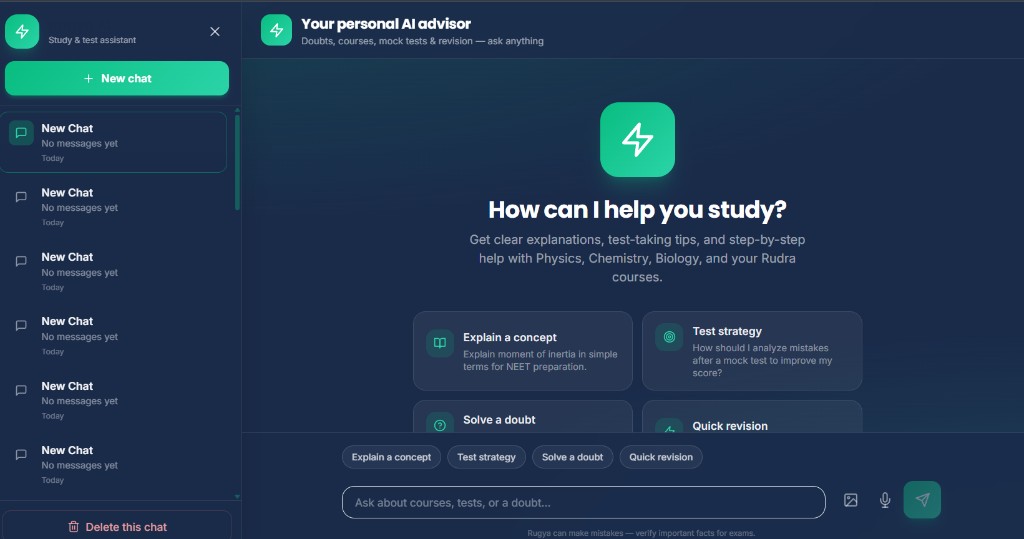
Doubt chat, revision nudges, and practice help for enrolled students — grounded in your subjects, not the open web.
›Explain this reaction in simple steps
What it does
Same intelligence on web and Android — always tied to your enrollment and test history.
Revision paths tied to what you enrolled in — not random internet tips.
Natural-language explanations with steps when you are stuck mid-problem.
Weak topics surfaced from your real attempts — parents see the same data.
Hints and practice prompts during test series — you still solve and learn.
Inside the product
Rugya sits next to courses, tests, and performance — one workspace, one account.
Get started
Enrollment required · same login everywhere
Pick a course or test series from the marketplace.
Use one account on student.rudraedugurus.com or the app.
Launch Rugya AI from navigation — doubts stay in your account.
Open the portal, or install the Android app — Rugya is waiting on your dashboard.